Most kids who want to learn to code have a specific goal. They want to make a game in Roblox, mod a Minecraft world, or build an app for a phone. The gap between that ambition and the first line of working code is often filled with frustration. Kids rarely quit because they lack the logic to solve a problem. They quit because they are fighting the grammar of the language.
Matching the language to the goal
The best language is the one that produces the output the child actually cares about. If you force a child to learn a general-purpose language that does not let them build their specific project, they will lose interest.
| If the child wants to... | Recommended Language |
|---|---|
| Make Roblox games | Luau |
| Mod Minecraft | Java or Python |
| Make iPhone apps | Swift |
| Create websites | JavaScript |
| Build robots | Python |
| Make 2D games | Python |
| General learning | Python |
Look down that table and notice how far apart the answers sit. A child who wants to publish a Roblox game writes Luau inside Roblox Studio, where the game engine, the physics, and the online multiplayer already exist. Their first bit of code is often a few lines that change a block's color when a player touches it. Where they get stuck is a smaller thing no tutorial bothers to show: connecting that code to the right object on the screen. Point the same child at a language like C++ and they would spend a month wrestling with how the computer stores data before a single character moved.
Minecraft has two answers because modding it means two different jobs. The Java Edition is modded with real Java code, while the Bedrock and Education versions accept Python through an add-on. Ask which Minecraft the child actually plays before you buy a book, because guessing wrong wastes the first weekend. The mismatch rarely announces itself. A child on Bedrock who follows a tutorial written for Java finds that the steps never match what is on their screen, and rather than say so, they quietly stop opening the game.
Python shows up four times in that column for a reason. One language reaches into 2D games through a free add-on called Pygame, and into robotics, since the BBC micro:bit and most classroom robots run a version of Python built for small devices. A child who is unsure what they want can pick Python once and stay there for years without hitting a wall.
The syntax wall
There is a difference between programming logic (the "how" of solving a problem) and syntax (the strict grammar of a language). Logic is the process of deciding that if a player touches lava, their position should reset to the start. Syntax is the requirement that this thought be wrapped in specific curly braces and ended with a semicolon.
Children have limited working memory. If they spend 80% of their mental energy worrying about a missing semicolon, they only have 20% left for the actual problem solving. This is the Syntax Wall. In a language like Java or C++, a single missing semicolon can trigger a cryptic error that points to the wrong line and gives no hint about how to fix it.
The gap is easy to see in the smallest possible program. Here is the same task, printing the word "Hi" on the screen, in three languages a kid might meet:
Python:
print("Hi")print("Hi")JavaScript:
console.log("Hi");console.log("Hi");Java:
public class Main {
    public static void main(String[] args) {
        System.out.println("Hi");
    }
}
public class Main {
public static void main(String[] args) {
System.out.println("Hi");
}
}All three do exactly the same thing. Python says it in one line of plain words. JavaScript needs a longer command and a semicolon on the end. Java wraps that single instruction in several lines of setup, and every bracket has to match its partner or nothing runs at all. A child writing their first program in Java spends their attention on the scaffolding. A child writing it in Python spends it on the idea.
Python does keep one strict rule of its own, indentation (the spaces at the start of a line), but even that mistake explains itself and tells the child exactly which line to fix. A missing semicolon blamed on the wrong line sends them hunting through code that already looks fine.
When a child spends 45 minutes debugging a typo rather than designing a game feature, they often conclude they are "bad at coding." They are not bad at coding; they are just frustrated by punctuation. Success happens when the syntax is handled automatically (through blocks) or is highly intuitive (like Python), allowing the child to experience the "aha!" moment of their logic actually working.
The progression ladder
Moving from blocks to text too early causes a crash at the Syntax Wall. Moving too late leaves a child fluent in snapping blocks together but unable to translate those concepts into a text editor.
Reading fluency predicts readiness better than age. Scratch fits most kids from about 8, the bridge tools from about 10, and Python once a child reads chapter books comfortably, usually around 11, because Python asks them to read keywords like if, while, and return as English. A strong 9 year old reader may fly into Python early. A bored 13 year old may stall on blocks. The reading level matters more than the birthday.
- Visual Logic (Block-based). Start with Scratch. The focus is exclusively on loops, variables, and if-then statements. Success here is building a functional game without typing a single word.
- The Bridge (Hybrid). Use Swift Playgrounds or Blockly. These tools allow users to toggle between a block and the equivalent line of code. This teaches the child to read text based on the logic they already understand.
- High-Level Text (Readable). Transition to Python. The focus shifts to indentation and English-like commands. A good project at this stage is a text-based adventure game or a simple calculator.
- Specialized Syntax (Strict). Transition to Java, C#, or Luau. This is where they learn the stricter rules professionals follow, like telling the computer in advance whether a value is a number or a piece of text, and where they start using the same tools developers use every day.
The signal to climb a rung is usually a complaint. When a child grumbles that dragging blocks is slower than typing would be, the block interface has finished its job. The bridge rung makes the handoff gentle. In Swift Playgrounds, the child types simple commands like moveForward() and collectGem() to walk a character through a 3D puzzle, the same kind of real code a professional writes, without the setup or the semicolons. By the time they reach Python, the shape of a command already feels familiar, and the only new work is typing it correctly.
Tools that skip the setup
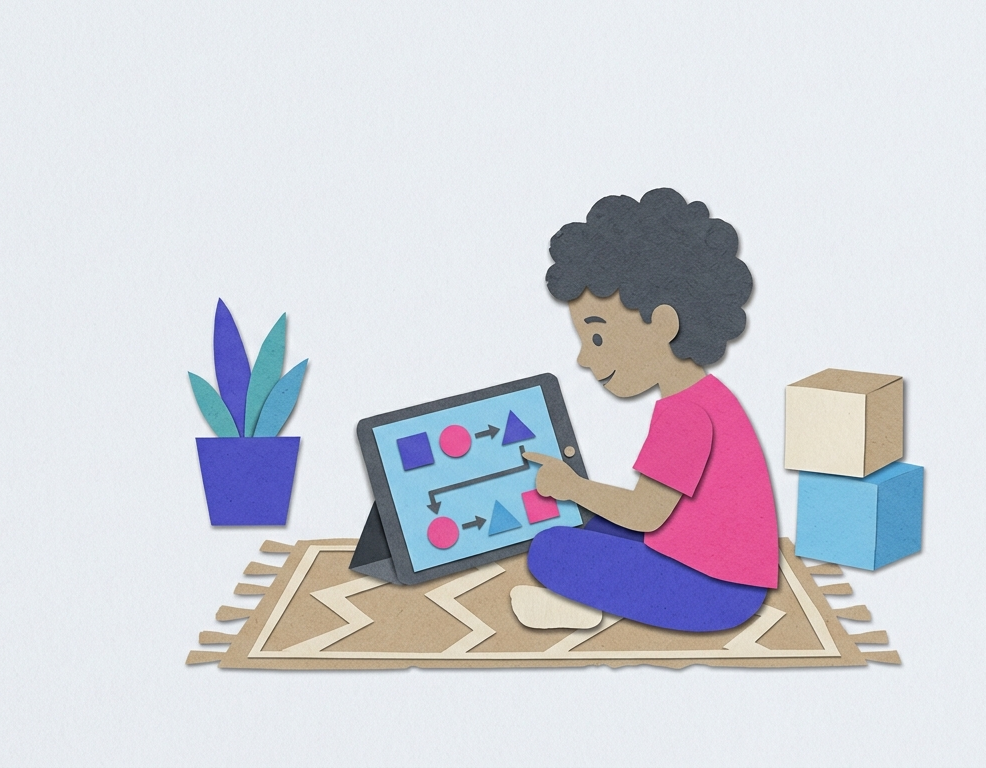
Installation is where beginners give up. Any tool that requires editing hidden system settings or installing complicated software is a failure point. The goal is to get the child from "Sign Up" to "Running Code" in under 60 seconds.
- Replit. An online code editor that runs in the browser. The code runs on Replit's servers, so nothing has to be installed on your computer.
- Swift Playgrounds (iPad). An app that treats coding like a puzzle game. The code is written on one side and a 3D world reacts on the other.
- Scratch. The industry standard for block-based entry. The drag-and-drop interface eliminates syntax errors entirely.
The classic install failure looks like this: a parent downloads Python, the child tries to run it, and gets an error that the computer cannot even find the program that was just installed, because a small setup box went unchecked during installation. On Replit that cannot happen. You open replit.com, click the Python template, and a green Run button is ready to go. The Roblox version of a one-click start is Roblox Studio itself, which ships the Luau editor and a Play button that runs the game on the same machine.
Not every good tool runs in a browser. Swift Playgrounds needs an iPad or a Mac, which rules it out if the family only has a Windows laptop. Scratch covers that case, running in any browser at scratch.mit.edu with an offline editor for homes on slow internet.
Markers of actual progress
It is easy to mistake activity for learning. A child might spend hours in front of a screen but never develop programming intuition. The difference shows up in a few specific behaviors.
One quick test at home separates the two. Ask the child to change a single value and predict the result before running the program. Tell them to set a character's jump height from 50 to 100 and say out loud what will happen. A child who understands answers that the character will jump twice as high. A child who copied the tutorial goes quiet, because the number on the screen was never connected to the motion in the game. The same tell appears in how they handle errors. A child making progress reads the error message instead of guessing at a fix, so a message about an unknown name scr becomes an obvious clue that they typed scr where they meant score. A child who reuses that score counter in a brand new game, without being asked, is carrying real tools between projects.
Signs a child is stuck on the tool rather than the logic:
- Building a complex Scratch game but freezing when they open a blank Python file. They have learned the shape of the blocks, not the logic underneath.
- Following a 20-minute YouTube tutorial to build a Minecraft mod, then being unable to change a character's speed or a block's color without the video.
Signs of real progress:
- Hitting a bug or wanting a new feature and working it out by reading documentation or experimenting, with no guide to follow.
- Explaining the project in plain English before typing: "the loop checks if the score is 10, then it triggers the win screen."